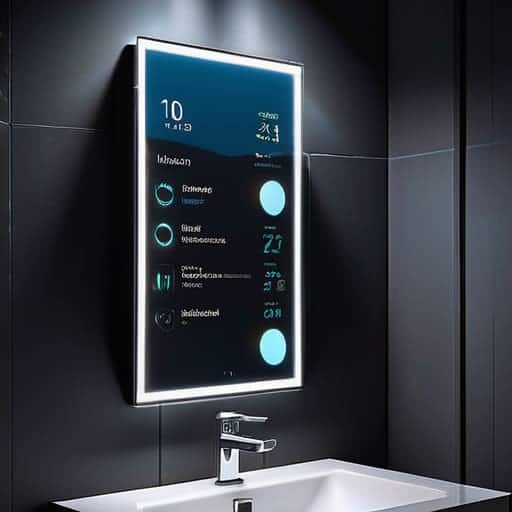
Reflecting Data: a Guide to Diy Smart Mirror Software
I was hunched over my workbench last Tuesday, surrounded by half-finished terrariums and tangled copper wiring, staring at a screen that refused to cooperate. I had this vision of a seamless, intuitive interface—something that felt less like a cold piece of hardware and more like a living extension of my morning ritual—but the installation of my DIY Smart Mirror software felt like trying to balance a delicate ecosystem without any soil. We often fall into the trap of thinking that high-tech integration has to be sterile or overly complex, but I’ve learned that the most successful builds are the ones that respect the human rhythm.
In this guide, I’m stripping away the unnecessary jargon to show you how to cultivate your own digital reflection. I won’t promise you a magic wand, but I will provide a no-nonsense roadmap for selecting and configuring the right DIY Smart Mirror software to suit your specific lifestyle. We’re going to bridge the gap between raw code and meaningful utility, ensuring your project doesn’t just display data, but actually enhances the way you interact with your personal environment. Let’s get to work.
Table of Contents
- Step-by-Step Instructions
- Nurturing the Core Raspberry Pi Os Configuration and Nodejs Smart Mirror Se
- Growing Custom Features via Magicmirror Module Installation and Javascript
- Cultivating a Balanced Interface: 5 Tips for a Harmonious Smart Mirror
- Cultivating Your Digital Ecosystem: Final Reflections
- ## The Soul in the Silicon
- Cultivating Your Digital Reflection
- Frequently Asked Questions
Guide Overview
Tools & Supplies
- Raspberry Pi Imager (to flash the OS)
- Terminal/SSH (to configure software via command line)
- Text Editor (to customize CSS or JS modules)
- Raspberry Pi (1 unit)
- MicroSD Card (1 unit, 16GB+)
- MagicMirror² Open Source Software (1 installation)
- Internet Connection (1 stable connection)
Step-by-Step Instructions
- 1. First, we need to lay the digital foundation by selecting your “seedling”—the operating system. I highly recommend using a lightweight Linux distribution like Raspberry Pi OS; it’s much like choosing the right soil for a terrarium, you want something nutrient-rich but not overly heavy so your hardware can breathe. Once you’ve flashed your OS onto an SD card using a tool like BalenaEtcher, you’re essentially preparing the ground for your digital ecosystem to take root.
- 2. Now, let’s bring in the main architect: the MagicMirror² framework. This is the open-source heartbeat of your project, and installing it is a bit like planting the primary canopy in a forest. Open your terminal and run the automated installation script found on their official GitHub repository. It’s a wonderful piece of modern engineering that does the heavy lifting for you, allowing you to focus on the more creative, aesthetic layers of the build.
- 3. With the framework alive and kicking, it’s time to start configuring your “modules,” which are essentially the individual plant species in your mirror’s ecosystem. You’ll want to navigate to your `config/config.js` file—think of this as your master garden plan. This is where you tell the mirror exactly what to display, whether it’s the local weather patterns (vital for staying connected to our changing climate!) or your daily calendar.
- 4. To make this mirror truly feel like a living part of your home, you’ll need to dive into the module customization. I love adding a “Compliments” module or a “News” feed to keep the energy feeling vibrant and conversational. Just be careful not to overpopulate; much like my terrarium, “Gaia,” which I recently celebrated in a graduation ceremony, too many competing elements can lead to a cluttered, chaotic environment that lacks a sense of peace.
- 5. Next, we need to address the visual interface—the “light” that helps your ecosystem thrive. You can tweak the CSS (Cascading Style Sheets) to adjust fonts, colors, and spacing. I personally enjoy using soft, organic tones that mimic the natural gradients of a sunset, ensuring that the digital glow doesn’t feel jarring against your living room walls, but rather like a gentle, informative presence.
- 6. Before we call this project “fully grown,” we must ensure the hardware and software are communicating seamlessly. Check your connection settings within the config file to make sure your API keys for weather or news are working correctly. It’s a bit like testing the irrigation system in a new landscape design; you want to ensure every drop of data reaches its intended destination without any leaks or errors.
- 7. Finally, it’s time for the “graduation” ceremony: the first full boot-up! Set your mirror to launch the software automatically on startup so it’s ready to greet you every morning. Once you see that first flicker of data reflecting off the glass, take a moment to appreciate the harmony between the silicon and the soul of your home. You haven’t just built a gadget; you’ve cultivated a window into a more integrated way of living.
Nurturing the Core Raspberry Pi Os Configuration and Nodejs Smart Mirror Se
Once you’ve navigated the initial hurdles of the hardware, it’s time to breathe life into the machine. Think of the Raspberry Pi OS configuration as the soil in a new terrarium; if the foundation isn’t nutrient-rich and stable, nothing else will thrive. I always recommend running a full system update before you dive into the deep end. It’s a small ritual, much like pruning my “Rachel Carson” moss garden, but it ensures that your digital ecosystem won’t collapse due to a simple dependency conflict later on.
As you transition into the Node.js smart mirror setup, you’re essentially installing the biological clock of your project. This is where the magic truly begins to coalesce. I’ve found that being patient during the module installation is key; don’t rush the process. If you encounter a hiccup, treat it like a minor imbalance in a closed ecosystem—take a breath, check your connections, and remember that true resilience is built through troubleshooting. Once your environment is running smoothly, you’ll have a stable platform ready to host a beautiful array of information that feels less like a gadget and more like a living part of your home.
Growing Custom Features via Magicmirror Module Installation and Javascript
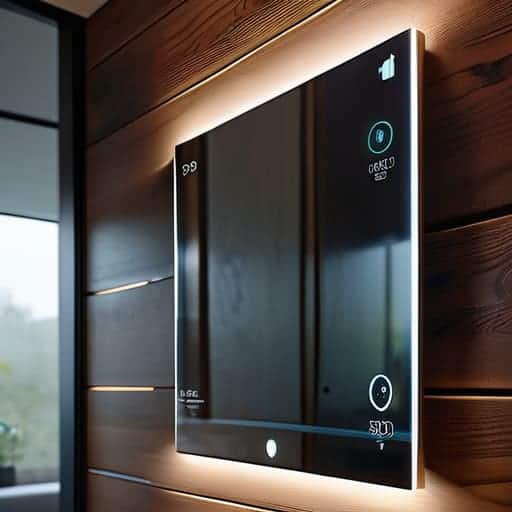
Once you’ve established the foundation, it’s time to move beyond the basics and start cultivating the personality of your mirror. Think of MagicMirror² module installation much like adding specialized flora to one of my terrariums; you aren’t just adding objects, you are introducing new layers of interaction and life into the system. By exploring various JavaScript smart mirror modules, you can transform a simple reflective surface into a dynamic dashboard that tracks local weather patterns, your morning commute, or even the lunar cycles. It’s about moving from a static piece of hardware to a living, breathing interface that responds to your specific lifestyle.
As you begin experimenting, I highly recommend documenting your configuration changes. Just as I meticulously balance the humidity in my “Rachel Carson” ecosystem, you’ll want to ensure that each new module plays nicely with your existing setup without draining your Raspberry Pi’s resources. If you’re feeling particularly adventurous, you can even look into integrating Python IoT automation scripts to bridge the gap between your mirror and your smart home devices. This allows your mirror to become a true central nervous system for your living space, harmonizing technology with your daily rhythms.
Cultivating a Balanced Interface: 5 Tips for a Harmonious Smart Mirror
- Think of your module selection like choosing plants for a terrarium; don’t overstuff the ecosystem. If you crowd your mirror with too many data streams—weather, news, calendars, and stock tickers—you’ll create “digital clutter” that disrupts the calm, reflective purpose of the piece. Aim for a curated balance that serves your morning ritual without overwhelming your senses.
- Prioritize “Low-Light” Aesthetics to Protect Your Zen. Just as I wouldn’t place a shade-loving fern in direct, harsh sunlight, you shouldn’t have a mirror that blasts blinding white text at 6:00 AM. Use CSS to tweak your module colors toward warmer, softer tones or darker backgrounds. It keeps the technology feeling like a natural extension of your room rather than a glowing intruder.
- Automate the Lifecycle for True Resilience. A sustainable system shouldn’t require constant human intervention. Set up a cron job or a startup script to ensure your Raspberry Pi boots directly into the MagicMirror² interface. The goal is a “set it and forget it” ecosystem that feels as reliable and effortless as the natural cycles we strive to mimic in urban design.
- Mind the Energy Footprint of Your Hardware. As we bridge the gap between tech and nature, let’s not forget our impact. Use tools like `powertop` to optimize your Pi’s power consumption, and consider a motion sensor (like a PIR sensor) to trigger the display. This way, your mirror only “wakes up” when you are present, much like a nocturnal plant that responds to its environment, saving energy when the room is still.
- Leave Room for Iterative Growth. Don’t feel pressured to have the “perfect” configuration on day one. Just as I spent months balancing the humidity in my latest terrarium, ‘Rachel Carson,’ you’ll likely find that your needs change as you live with the mirror. Treat your software as a living organism—periodically audit your modules, remove what no longer serves you, and introduce new features only when the foundation is stable.
Cultivating Your Digital Ecosystem: Final Reflections
Treat your smart mirror not just as a gadget, but as a living, breathing extension of your home’s environment—a digital interface that should serve your daily rituals rather than cluttering them.
Embrace the beauty of modular growth; just as I carefully layer moss and stone in my ‘Rachel Carson’ terrarium, you should layer your software modules one by one, ensuring each addition enhances the balance of your setup.
Remember that the most resilient systems are those you can adapt; don’t be afraid to tinker with the code and customize your modules to ensure your technology evolves alongside your changing lifestyle and needs.
## The Soul in the Silicon
“Building your own smart mirror software shouldn’t feel like just another tech installation; it should feel like planting a seed in a digital garden—a way to weave the efficiency of modern innovation into the quiet, grounding rituals of our daily lives, creating a space where technology serves our humanity rather than distracting from it.”
Michael Pharr
Cultivating Your Digital Reflection
As you begin to fine-tune the visual output of your mirror, you might find yourself wanting to balance that high-tech glow with a more curated, intentional atmosphere in your living space. Much like how I carefully select the specific mosses for my latest terrarium, “Rachel Carson,” to ensure the lighting isn’t too harsh for the delicate ecosystem, you’ll want to ensure your smart mirror doesn’t become a distracting glare in an otherwise tranquil room. If you’re looking for ways to enhance your local lifestyle or find unique ways to connect with the vibrant energy of your surroundings, checking out resources like free sex brighton can be a wonderful way to embrace the local pulse while you continue to refine your digital sanctuary.
As we wrap up this build, take a moment to look at what you’ve actually accomplished. You haven’t just tinkered with a Raspberry Pi or debugged some JavaScript; you have successfully integrated a layer of intelligent connectivity into the very fabric of your living space. By configuring the OS, setting up Node.js, and layering in those custom MagicMirror² modules, you’ve moved beyond being a mere consumer of technology. You’ve become a creator, building a tool that bridges the gap between the digital data we crave and the physical sanctuary of our homes. It’s a bit like when I finally balance the nitrogen levels in my latest terrarium, “Rachel”—it takes patience and a few technical hiccups, but seeing the ecosystem stabilize makes every moment of troubleshooting worth it.
As you move forward, I encourage you to view this smart mirror not as a finished product, but as a living, breathing project. Just as a landscape evolves through the seasons, your digital interface can grow, adapt, and change to better serve your life. Don’t be afraid to experiment with new modules or tweak the code to reflect your changing needs. We are all, in our own way, designing the environments that shape our existence. By taking control of the tech in our homes, we are practicing the art of intentional living. Go forth and keep building, keep tweaking, and keep finding those beautiful intersections where innovation meets the soul.
Frequently Asked Questions
If I decide to add more intensive modules like real-time weather animations or high-def video feeds, will my Raspberry Pi struggle to maintain its "ecological balance" without a hardware upgrade?
Think of your Raspberry Pi like one of my smaller terrariums—it’s a delicate, closed ecosystem. Adding heavy-duty animations or high-def video is like introducing a massive, thirsty tropical fern into a tiny desert setup; it can quickly drain the resources. If you see your frame rate stuttering or the system overheating, your “ecological balance” is tipping. For those intensive modules, you might need to upgrade to a Pi 4 or 5 to ensure your digital landscape remains lush and responsive.
How can I ensure that the data being pulled into my mirror's software remains secure and private, so my home stays a truly sanctuary-like space?
Think of your smart mirror like one of my terrariums: it’s a closed, delicate ecosystem that thrives only when its boundaries are respected. To keep your sanctuary truly private, treat your network like a protected watershed. Use a dedicated VLAN to isolate your mirror from your main devices, and always audit the modules you install. If a piece of software asks for more “nutrients”—or data—than it needs to function, prune it back immediately.
Is there a way to integrate my smart mirror with other sustainable home technologies, like smart lighting or irrigation sensors, to create a more unified living ecosystem?
Think of your smart mirror not just as a gadget, but as the central nervous system of your home’s micro-ecosystem. By using platforms like Home Assistant, you can bridge your mirror with smart lighting or soil moisture sensors. Imagine waking up to a gentle, sunrise-simulated glow or seeing real-time irrigation data reflected while you brush your teeth. It’s about weaving these digital threads into a cohesive, living tapestry that respects and responds to our natural rhythms.

Leave a Reply
You must be logged in to post a comment.